Stop copying “Busy” by hand.
A new meeting means another block to create. A reschedule means updating it again. Choose your source and target calendars, and let TenantCal keep those busy blocks aligned for you.
Work calendarBusy
For consultants & contractors
One client books you. Another still sees you as free. TenantCal mirrors private “Busy” blocks across your chosen Microsoft 365 calendars, helping prevent the next double booking.
60 days free · Then $6/month for mirroring
Connect through your own Outlook session on your Mac.
No third-party OAuth consent required.
The gap between your work calendars
Separate Outlook accounts don’t automatically share your availability. A meeting in one can leave the same time open in another. Then comes the clash, the back-and-forth, and the explanation to a client. TenantCal helps close that gap.
A new meeting means another block to create. A reschedule means updating it again. Choose your source and target calendars, and let TenantCal keep those busy blocks aligned for you.
One client needs to know you’re unavailable, not who you’re meeting. Target calendars see only “Busy.” Meeting titles, attendees, and notes aren’t copied across.
Hit “Need admin approval” with another calendar app? TenantCal uses your signed-in Outlook session on your Mac. No app registration or third-party OAuth grant to get approved.
A combined view helps you spot conflicts. TenantCal also writes Busy blocks into your chosen target calendars, making your availability visible where colleagues and clients already book you.
See it in action
Your connected Outlook accounts land in one web calendar, each in its own color. A green check means that meeting is already blocked as “Busy” on your other calendars.
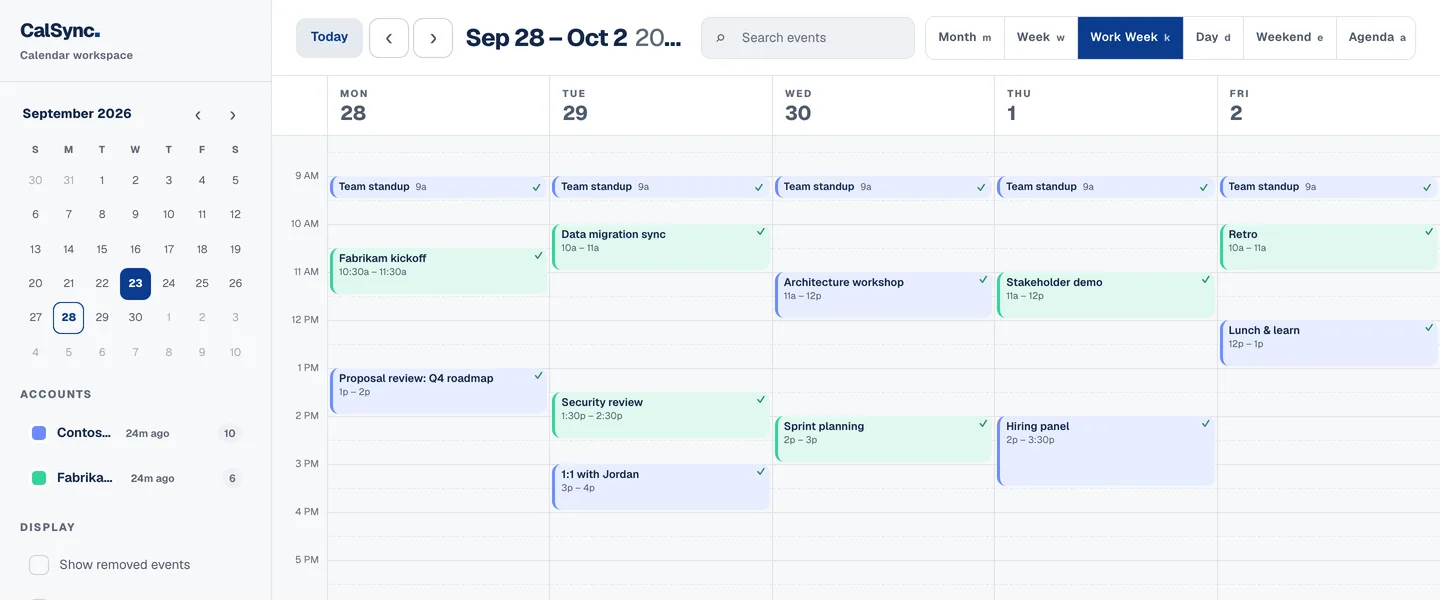
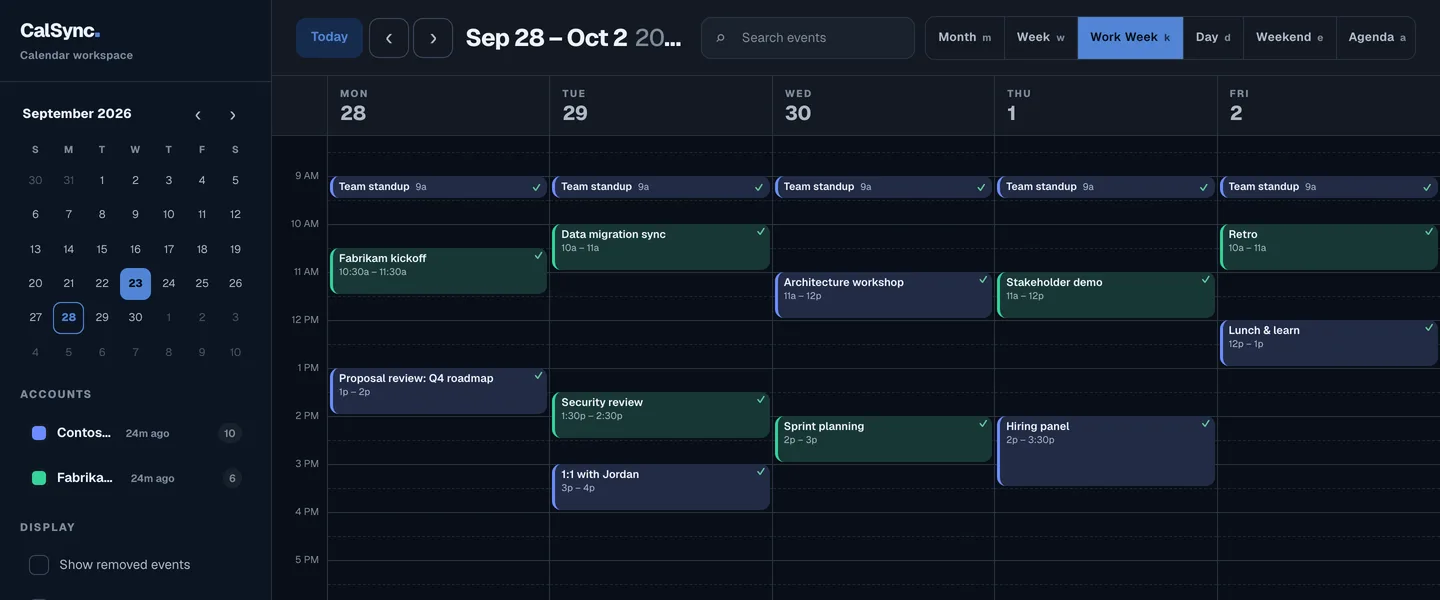
Your firm’s calendar Your client’s calendar Mirrored as Busy
Copy one calendar’s events onto another as “Busy” blocks. Try it — switch a mirror off, remove it, or add Northwind.
Only the time slot crosses over. Titles, attendees, locations and notes stay in the calendar they came from.
Live demo
This is a simulated sync using sample meetings. TenantCal reads each connected account, blocks new or moved meetings as “Busy” on your other calendars, then waits for the next cycle.
A simple start
Connect the accounts you already use. Choose where your busy time should appear. Let TenantCal handle the repeat work from your Mac’s menu bar.
Find your Mac downloadCreate a TenantCal account with a passkey. This connects your web calendar, Mac, and iPhone.
Install the Mac app and sign in to each Outlook account. Use the same login you normally use for work.
Set your source and target calendars in the web app. TenantCal syncs about every 15 minutes, with status always a click away.
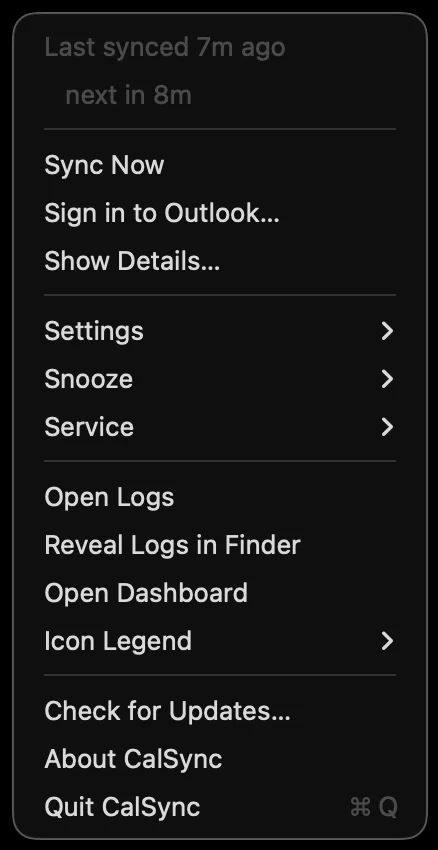
The TenantCal menu-bar app
Your work is complicated enough
You shouldn’t have to revisit every calendar whenever a meeting moves. TenantCal keeps busy time aligned in the background, with sync status and controls a click away in your Mac’s menu bar.
Put it to work with your real calendars
Give TenantCal 60 days across the client calendars you already manage. See how automatic busy blocks fit your workday, then keep mirroring for $6/month. Calendar sync, push, and devices stay free.
Calendar sync, push notifications, and connected devices — even after your trial.
$6/month
Less calendar admin. Better visibility for every client.
Full product for 60 days. Mirroring is $6/month after.
Good to know
The Mac app uses your own signed-in Outlook session, so it does not request a third-party OAuth grant from your Microsoft 365 tenant. You still need to be able to sign in to Outlook on that Mac, and your organization’s access policies still apply. If another calendar app shows “Need admin approval” (AADSTS90094), TenantCal offers a different connection method.
Mirrored events are labeled “Busy.” Meeting titles, attendees, and notes are not copied to the target calendar. Your connected calendar data is available in your own TenantCal web calendar; your Outlook sign-in credentials stay on your Mac.
Yes. The Mac app performs the Outlook sync, usually about every 15 minutes, so your Mac needs to be awake, online, and signed in to Outlook. You can check its status or run a sync from the menu bar.
Google Calendar can be connected from Settings as a read-only import. Busy-time mirroring is for Microsoft 365 calendars. The iPhone companion pairs with your account using a QR code; it is not on the App Store yet.
You get 60 days of the full product. After that, busy-time mirroring is $6/month. Calendar sync, push notifications, and connected devices remain free.

Make your next workday easier
Download TenantCal for Mac. Connect your Outlook accounts and choose where busy time goes — without giving clients a window into each other’s work.
brew install --cask sooth/tap/tenantcalSigned, notarized, and automatically updated.